NBC4 Washington: News, Weather
- 4.0
- Rating
- 100.00K
- Installs
- Free
- Price

 Analysis by App-foxy
I approached NBC4 Washington: News, Weather as a practical local-news tool rather than something to browse endlessly. It is a free News & Magazines app from NBCUniversal Media, LLC, built for people who want Washington, D.C. reporting, weather information, alerts, and access to NBC4 Washington’s live coverage in one place. That focus makes it more useful during a commute, a storm, or a fast-moving local story than a broad national news reader.
My overall impression is positive, but it depends heavily on what you expect from a local station app. If you live in the D.C. area or regularly travel through it, the regional focus is the main reason to install it. If you want a wide range of international reporting, deep customization, or a neutral all-in-one news dashboard, a larger news platform may suit you better. The app’s four-point average from around 2.9 thousand ratings suggests a generally solid experience with room for frustration, and that matches how I would describe it: useful and direct, but most valuable when you have a specific local reason to open it.
Where the experience can get stuck
The first point of friction is usually expectation. A station app is not the same as a newspaper app or a general news aggregator. NBC4 Washington is organized around the station’s local coverage, weather alerts, and live broadcast access. That is a strength when you need a quick regional update, but it can feel limited if you open it hoping to compare many publishers or explore a broad national news agenda.
You May Also Like

 Blood Strike: 2.5 Anniversary
Blood Strike’s Loadouts Turn Every Drop Into a Tactical Gamble
A close look at Blood Strike’s custom loadouts: how fast access to signature weapons reshapes its battle royale rhythm, rewards preparation, and narrows the gap between fights.

 Pandora - Music & Podcasts
Pandora’s Music Is Easy to Start, but Harder to Recover
Pandora’s strength is its low-effort path from a seed to a station. Its weak spot is how much confidence it asks you to place in connection, setup, and quiet recovery.

 8 Ball Pool
 Is Built on Rivalries, Rematches, and Routine
A close look at the rivalries, rematches, shared routines, and unanswered safety questions that turn a quick pool match into a persistent mobile community.

 Samsung Music
’s Quiet Strength Is Playing What You Already Own
Its reach comes less from spectacle than from dependable access to a personal library. That simplicity is both the app’s strongest retention engine and its ceiling.

 AccuWeather: Weather Radar
AccuWeather Review: A Quick, Clear Forecast for Everyday Decisions
For everyday plans, the best forecast is the one you can understand quickly. AccuWeather makes rain timing, radar, and local conditions easy to act on, with a few trade-offs.

 Hill Climb Racing
Why Hill Climb Racing Still Turns Crashes Into One More Run
A tiny car, a bumpy hill and one more upgrade: Hill Climb Racing keeps resurfacing because its simple chaos makes every near-miss feel personal.
More From Our News Desk



I would also avoid judging it only by the first screen. Local-news apps are most useful when something is happening: a severe-weather situation, a traffic disruption, a public-safety story, or a developing event. On a quiet day, the amount of fresh material may feel less impressive than what a national app presents. That is not necessarily a defect; it reflects the narrower editorial purpose.
Another common stumbling block is treating live video as interchangeable with an ordinary article. A live broadcast depends on a stable connection and can be more sensitive to network congestion than text. If a stream pauses while a written story loads normally, that does not automatically mean the entire app is broken. I found it more helpful to separate the task: use written coverage for a quick fact check, then try live viewing when I have a reliable connection and enough time to watch.
Weather information creates a different kind of confusion. People often expect an alert to behave like a complete forecast, while an alert is primarily a prompt to pay attention. I use the weather area to understand what is developing and then read the related details before making travel or safety decisions. For urgent conditions, the app can be an important source of awareness, but I would not treat a single screen as a substitute for common sense or official emergency instructions.
The app is rated for Everyone, which makes it approachable for a household with different users. Still, age suitability does not mean every story will be comfortable for every reader. Local reporting naturally includes accidents, crime, severe weather, and other difficult subjects. I would especially be careful when handing the phone to a child simply because the formal content rating is broad.
What to check before blaming the app
When the app does not behave as expected, I start with the basics rather than immediately reinstalling it. I check whether other apps can load normally, whether the device has a usable connection, and whether the problem affects articles, alerts, or video specifically. That small distinction saves time. A stalled live stream points toward a different cause than a headline that will not refresh.
The current version is 8.7.1 and the minimum operating-system requirement is version 9. Before installing or troubleshooting, I would confirm that the device meets that requirement and has enough free space for a normal update. An older device may technically run the app while still feeling slow when switching between news pages and video. In that situation, reducing background activity and closing unused apps can be more useful than repeatedly tapping the same control.
I also check the device’s date and time settings. Incorrect system time can create odd behavior with alerts, refreshes, or secure connections across many mobile services. It is a simple check that people often skip because the clock looks close enough. I then reopen the app rather than leaving it suspended in the background for a long period.
For a clean first setup, I would install it on a stable connection, open it once, and allow the initial content to settle before deciding that nothing is available. I would then look through the news and weather areas manually so I understand where each type of information appears. This matters because a person waiting only for a notification may miss useful content that is already available inside the app.
Notifications deserve a deliberate decision. I prefer to keep them available for meaningful local weather or breaking-news situations, but I do not want every phone alert to interrupt work or sleep. If the device offers notification categories or schedules, I review those controls instead of disabling everything after one inconvenient interruption. The practical trade-off is simple: fewer alerts mean less distraction, but they also reduce the app’s value as an early warning tool.
Location-related choices should be handled just as carefully. For a D.C.-focused service, local relevance matters, but I do not enable any setting automatically without understanding what it changes. If I am visiting the region temporarily, I may prefer to check the app manually rather than keep every local alert active. If I live there, timely weather information may justify a more permissive notification setup.
A setup routine that avoids unnecessary resets
My preferred setup is gradual. I first confirm that articles open, then test weather content, and only after that try live coverage. Testing each part separately makes later troubleshooting much easier. If I activate everything at once and something fails, I have no clear idea whether the problem is the network, the device, the app installation, or a temporary service issue.
I also keep expectations realistic about account and personalization behavior. I do not assume that every local-news app needs a complicated profile before it becomes useful. For a quick trip or a one-time weather concern, browsing directly may be enough. For regular use, I would spend a few minutes learning how the app presents local stories and alerts rather than searching for settings that may not be central to its design.
One useful habit is to open the app before leaving home when severe weather is possible. I can read the latest local report while connected to a dependable network, then use the phone more lightly during travel. This does not guarantee uninterrupted access, but it reduces the chance of relying on a live stream at the exact moment a mobile connection becomes unreliable.
The app has been available since April 2, 2012, and that long presence helps explain its station-centered identity. It feels designed around an established local-news workflow rather than around the constant experimentation found in some newer media products. I see that as reassuring for a straightforward news reader, although users who expect a highly modern, endlessly personalized feed may find the experience less exciting.
Recovering a broken workflow
When an article refuses to load, I first return to the main screen and try another story. If several pages fail, I test another app or website to see whether the connection is the larger issue. If only one item is affected, I wait and try again later rather than assuming the installation needs to be replaced. News pages can change while a story is developing, and a temporary loading problem does not always require a dramatic fix.
For a frozen screen, I close the app completely and reopen it. If that does not help, I restart the device. These are ordinary steps, but they are safer and more informative than immediately clearing every setting. I would only consider reinstalling after confirming that the issue continues and that I am comfortable going through setup again.
Video deserves its own recovery path. I check whether text stories are working, move to a stronger connection, and avoid testing live coverage while several other apps are consuming bandwidth. If the broadcast still fails but written updates remain available, I use the articles as the immediate fallback. That is one reason I would not install this app solely for live television; its local reporting and weather side are more resilient when conditions are not ideal.
Alerts can be deceptive because a missing notification may result from device settings rather than the app itself. I check whether notifications are enabled for the app, whether the phone is in a mode that suppresses interruptions, and whether battery-saving controls are restricting background activity. I also remember that alerts are not guaranteed to arrive at the exact moment I expect. For important safety information, I use the app as one source among appropriate official channels rather than depending on a single notification system.
If the app opens but appears stale, I compare more than one section. A weather page and a news page may refresh differently, so one unchanged screen is not enough evidence that the whole service is offline. I pull to refresh where that control is available, navigate away, and return. If the same content remains unchanged across repeated attempts while other services work, waiting briefly is usually more sensible than performing a full reset.
There is also a practical privacy-and-convenience trade-off in troubleshooting. Reinstalling can clear local state, but it also creates extra setup work and may reset choices I made for notifications or location relevance. I prefer to preserve a working configuration whenever possible. A restart, connection check, and notification review solve enough everyday problems that they should come before more disruptive steps.
When the app is not the cause
Some failures are really network failures wearing an app-shaped disguise. A crowded public Wi-Fi network may load a headline but struggle with live video. A weak mobile signal may make a weather image or stream appear broken even though the service is operating normally. I compare Wi-Fi and mobile data when appropriate, but I do so carefully and with awareness of data usage, especially if I am watching live coverage away from home.
Device age can matter too. The minimum operating-system requirement is nine, but meeting a software requirement does not guarantee a smooth experience on every compatible phone. Limited memory, an aging battery, or heavy background activity can cause slow transitions and reloads. If other demanding apps show similar behavior, I would investigate the device before blaming NBC4 Washington.
Timing is another factor. During major local events, many people may try to access updates at once. If an article loads slowly or video is difficult to start during a high-interest moment, I try again later and use text coverage in the meantime. I would not interpret one busy period as proof that the app is permanently unreliable.
Location changes can alter usefulness without indicating a technical problem. Someone who lives in Washington, D.C. may find the local focus exactly right, while a person in another state may see fewer stories that feel immediately relevant. Travelers can benefit from checking regional weather and news before entering the area, but they should not expect the app to replace a national news service for everything outside Washington.
This is where comparison with alternatives becomes important. A national news app is better for broad headlines, multiple viewpoints, and stories that have no D.C. connection. A dedicated weather app may be preferable when highly detailed forecasting is the only goal. A television or streaming option may be better for someone who wants continuous viewing rather than a mixture of articles, alerts, and station coverage. I prefer NBC4 Washington when the question is specifically, “What is happening locally right now?”
The app’s audience size also gives some context: it has more than one hundred thousand installs. That is enough to show meaningful adoption without making it a universal news platform. I would read that as a sign that it serves a defined regional audience rather than as a reason to expect the breadth or polish of the largest national services.
Everyday scenarios where it earns space on the phone
Imagine I am leaving for work and dark clouds are moving across the region. Instead of opening several unrelated services, I check the local weather coverage, scan the latest headlines, and look for any developing story that could affect the trip. The value is not just speed; it is having regional context in the same place as the station’s reporting.
Another useful scenario is a family member asking whether a local event or disruption is serious. I can open a recent story, read the available details, and use live coverage if the situation is still unfolding. I appreciate that workflow because it avoids forwarding an old social-media post without checking whether the information is current.
For someone who works in or around Washington but does not live there, the app can act as a temporary local briefing tool. I would install it before a busy visit, check the news and weather at sensible points during the day, and remove it later if the regional focus no longer matters. That is a better fit than keeping a permanent national app crowded with one city’s updates.
On the other hand, I would skip it if my main interest is international reporting, financial news, long-form analysis, or a large collection of opinion. I would also skip it if I need guaranteed offline reading or a single app that covers several cities equally. Its purpose is narrower, and choosing it makes sense only when that narrowness is useful.
What the free model means in practice
The app is free to install, which lowers the barrier for casual use and makes it easy to test during a weather event or trip. I value that because local relevance is personal: someone may not know whether a station app fits their routine until they have used it during an actual D.C. news cycle.
Free does not mean every user will find the experience frictionless. Notifications can become distracting, live video can be more demanding than text, and a regional feed may feel quiet when there is no story connected to your immediate interests. I judge the app by whether it saves me time during local situations, not by whether it replaces every other news source.
Its current version, 8.7.1, is the version I would evaluate when installing today, and the app remains free for an Everyone-rated audience. The developer is NBCUniversal Media, LLC, which gives the product a clear connection to NBC4 Washington’s broadcast identity. That connection is central to the experience: the app is most convincing when I want the station’s local perspective and live presence, not when I want an entirely publisher-neutral news database.
My practical verdict
I recommend NBC4 Washington to D.C.-area residents, commuters, visitors, and anyone who wants local news and weather alerts close at hand. I especially like it as a second screen during developing regional events: articles provide the quick read, weather information adds context, and live coverage is available when watching is more useful than scanning.
I would not make it my only news app. Its regional scope is a deliberate limitation, and live access depends on the quality of the connection and the phone. Users who prefer detailed forecasting, national breadth, offline reading, or extensive customization may be happier with a different primary service.
My advice is to set it up calmly before you need it, review notification choices, test text and video separately, and keep a backup way to receive important emergency information. With those expectations, NBC4 Washington: News, Weather becomes a focused and practical local companion rather than an overpromising replacement for every news tool. For the right audience, that focus is exactly its strongest feature.
FAQs for NBC4 Washington: News, Weather
01What features does the NBC4 Washington app offer?
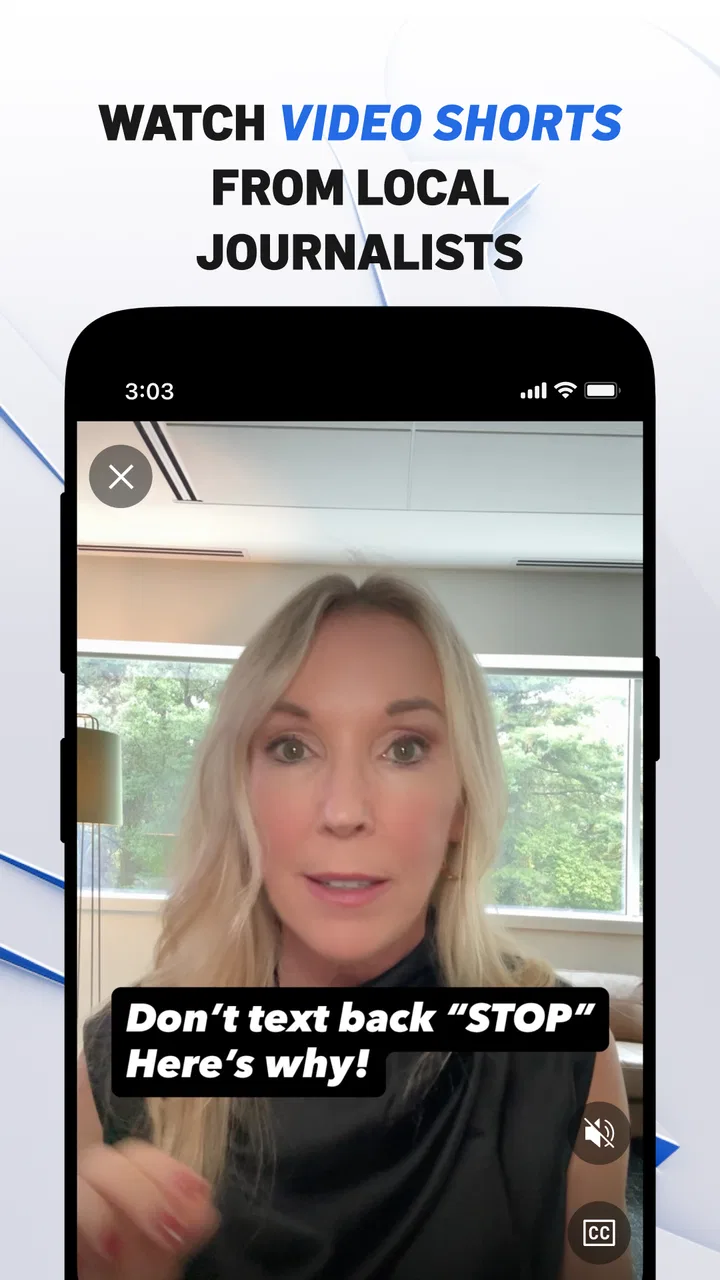
The NBC4 Washington app provides up-to-date local news, weather forecasts, live TV broadcasts, and updates on traffic and events in the Washington, D.C. area. It also includes video clips and on-demand content, allowing users to stay informed on important news stories and weather alerts wherever they are.
02Is the NBC4 Washington app free to use?
Yes, the NBC4 Washington app is free to download and use. However, it requires an internet connection to access its features, such as live streaming and video content. Some features might also include ads, as is common with many free apps, but there are no hidden subscription fees.
03Does the app provide weather alerts and forecasts?
Absolutely. The NBC4 Washington app offers detailed weather forecasts, including hourly and 10-day forecasts. It sends real-time weather alerts for severe conditions, helping users stay prepared. Interactive radar maps are also available, allowing users to track storms and other weather systems in their area.
04Can I watch live news broadcasts on the NBC4 Washington app?
Yes, the app includes live streaming of NBC4’s news broadcasts. This feature allows users to watch the latest news in real-time, ensuring they don’t miss important updates. On-demand videos are also available for those who prefer to catch up on past broadcasts at their convenience.
05Is the NBC4 Washington app available on both Android and iOS?
Indeed, the NBC4 Washington app is available for both Android and iOS devices. Users can download it from the Google Play Store for Android or the Apple App Store for iOS. It's designed to work seamlessly on smartphones and tablets, offering a user-friendly experience across all devices.
Pros
- User-friendly interface for easy navigation.
- Real-time weather updates keep you informed.
- Customizable news alerts for local events.
- High-quality video streaming available.
- Comprehensive local news coverage.
Cons
- Occasional ads can disrupt the experience.
- Some features require a stable internet.
- Limited customization for news topics.
- App may lag on older devices.
- Weather alerts can be repetitive.

NBC4 Washington: News, Weather
Gallery